MLJAR Studio: A Desktop AI Data Analyst That Generates Reproducible Notebooks
Introduction
In the ever-evolving landscape of data analysis, finding the right balance between flexibility and automation can be challenging. Many tools either require extensive manual coding, like Jupyter Notebooks, or rely on cloud-based AI services that obscure the underlying workflow and compromise reproducibility. Enter MLJAR Studio, a desktop application designed to bridge this gap. Built by the creator of mljar-supervised—an open-source AutoML library for tabular data—MLJAR Studio offers a unique approach: you interact with your data using natural language, the AI generates Python code, executes it locally, and the entire conversation is saved as a reproducible Jupyter notebook (.ipynb). This article explores its features, capabilities, and how it can transform your data analysis workflow.
What Is MLJAR Studio?
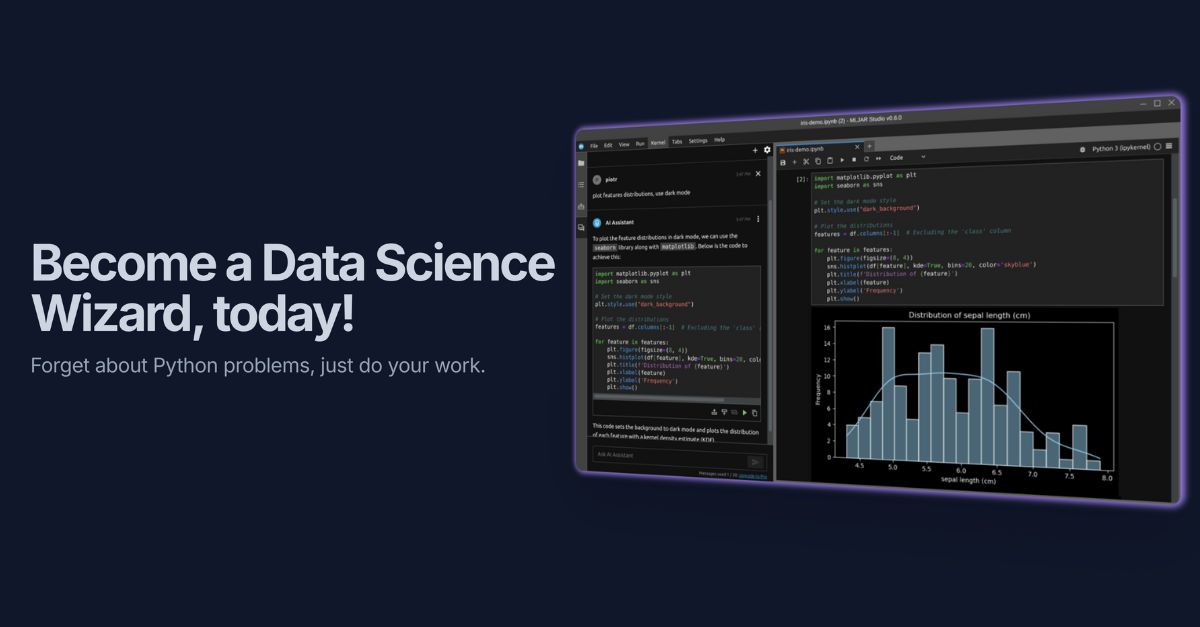
MLJAR Studio is a local AI-powered data analyst that turns natural language queries into executable Python code. Unlike chat-based interfaces that produce throwaway results, every interaction is recorded and automatically converted into a reproducible notebook. This means you can inspect, modify, and rerun the analysis at any time. The tool sets up a local Python environment on Mac, Windows, and Linux, instals missing packages on the fly, and integrates seamlessly with standard Python libraries such as pandas and matplotlib.
How It Works
The core idea is simple: you type a question or command in plain English, and the underlying AI interprets it, writes the necessary Python code, executes it in your local environment, and displays the result—whether a table, chart, or statistical model. The whole history of prompts and outputs is compiled into a notebook file, giving you full transparency and control. You can then leverage built-in AutoML for advanced tasks like classification, regression, or multiclass prediction.
Key Features
Automatic Local Environment Setup
No more wrestling with package installations or version conflicts. MLJAR Studio automatically configures a Python environment and downloads any missing libraries as needed during the conversation. This ensures you spend less time on setup and more time on analysis.
Built-In AutoML for Tabular Data
For users working with structured data, the integrated AutoML engine simplifies model training. It handles classification, regression, and multiclass problems without requiring deep machine learning expertise. The results are transparent and editable within the generated notebook.
Standard Python Library Support
The tool works with the most common Python data analysis stacks, including pandas, matplotlib, seaborn, scikit-learn, and more. This means your existing skills transfer directly, and you can combine natural language queries with manual code edits if desired.
Reproducible Notebooks
One of the standout aspects is the generation of .ipynb files. Unlike typical AI chatbots that produce ephemeral answers, MLJAR Studio preserves every step of the analysis. You can share the notebook with colleagues, rerun it with different parameters, or extend it with additional code. This bridges the gap between exploratory analysis and production-ready scripts.
Supported Data Sources
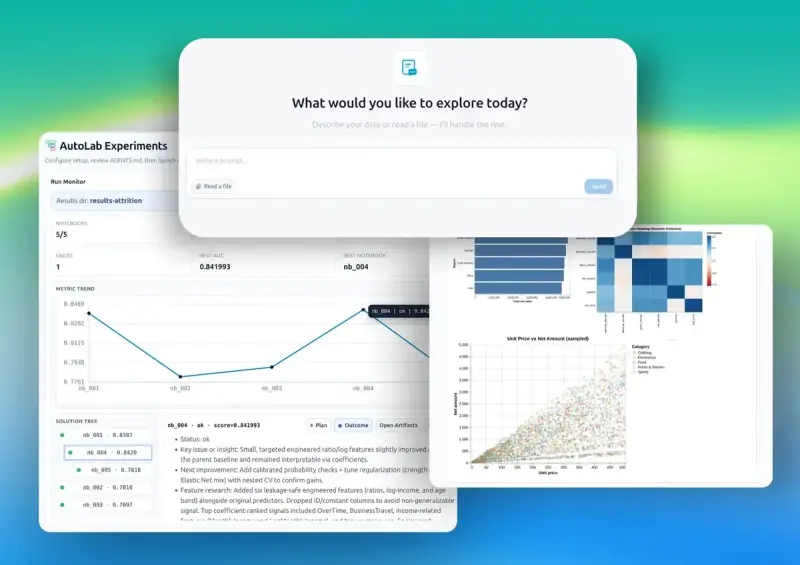
MLJAR Studio is designed to handle diverse data formats and sources. You can load files in common formats like CSV, Excel, Stata, and Parquet. Additionally, it connects directly to popular databases: PostgreSQL, MySQL, SQL Server, Snowflake, Databricks, and Supabase. This flexibility allows you to work with data from almost any pipeline without switching tools.
AI Options: Privacy and Flexibility
Understanding that data privacy is paramount, MLJAR Studio offers multiple AI backends:
- Local AI with Ollama: Run the model entirely on your machine—zero data leaves your computer. Ideal for sensitive or proprietary datasets.
- Bring Your Own OpenAI Key: Use OpenAI's models by providing your own API key. This gives you access to powerful cloud-based language models while controlling costs.
- MLJAR AI Add-On: For those who prefer a managed service, MLJAR offers an optional cloud AI add-on with no data training on your inputs.
Pricing and Trial
MLJAR Studio is priced at a one-time fee of $199, which includes all current features and future updates. A 7-day free trial is available, allowing you to test the tool with your own data before committing. This model appeals to professionals who prefer perpetual licenses over subscription-based services.
Demos
To see MLJAR Studio in action, check out these videos:
Conclusion
MLJAR Studio addresses a real need in the data community: a tool that combines the conversational convenience of AI with the rigor and reproducibility of traditional notebooks. By keeping everything local, supporting multiple data sources and AI backends, and generating inspectable code, it empowers analysts and data scientists to work efficiently and transparently. Whether you're exploring a new dataset or building a complex model, MLJAR Studio might just be the bridge you've been looking for.